
2026 SE QLD Video Conferencing Engineering Guide
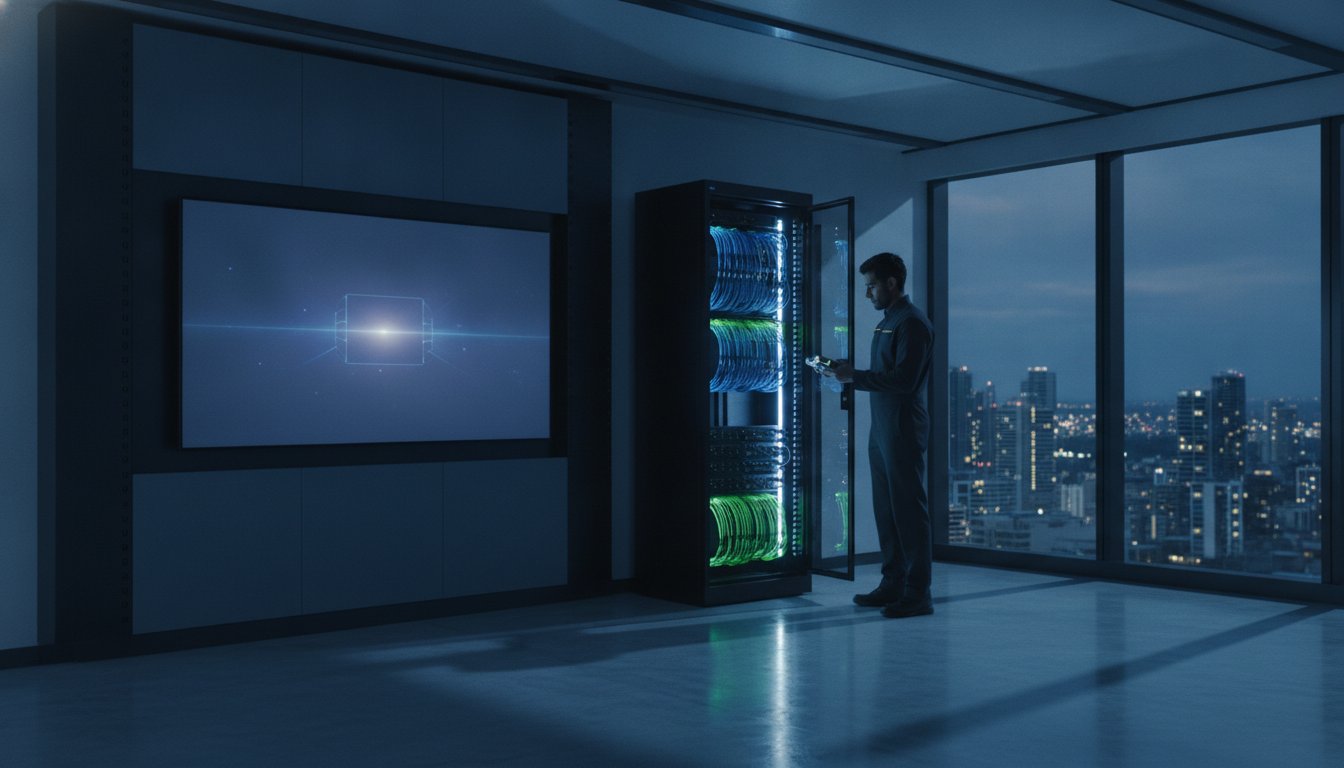
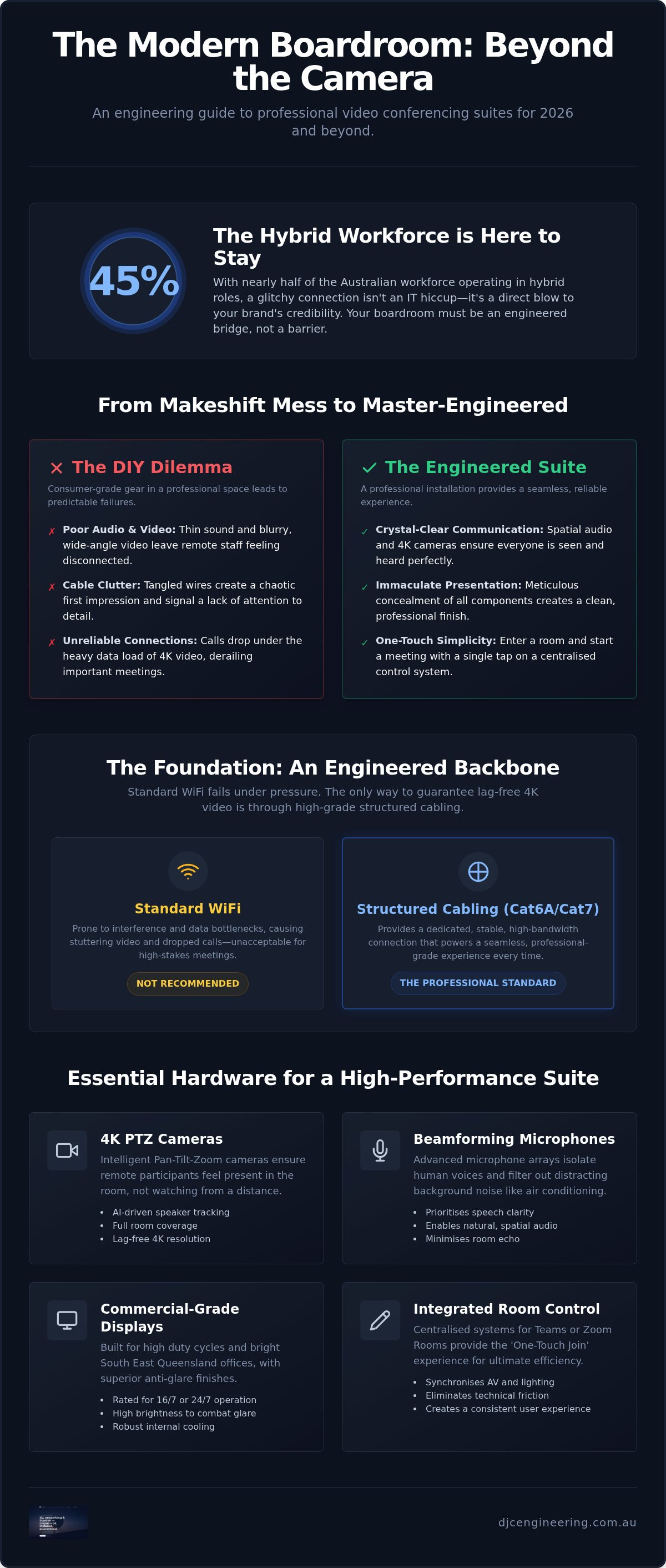
What if the most expensive camera on the market is actually the least important part of your boardroom? It’s a common frustration for firms across the Gold Coast and Brisbane: you’ve invested in premium hardware, yet calls still drop and the audio remains thin. A truly professional video conferencing installation for business isn't just about mounting a screen; it’s about the engineered backbone of structured cabling and WiFi design that supports it. We know that with 45% of the Australian workforce now operating in hybrid roles, a glitchy connection isn't just an IT hiccup, it’s a direct hit to your brand’s credibility.
You need a workplace where technology just works, offering one-touch meeting joins and crystal-clear 4K video without a messy cable in sight. This guide shows you how to design a high-performance suite that eliminates lag and integrates spatial audio into a clean, professional finish. We will walk through the essential technical standards for 2026, from robust data point placement to the meticulous concealment of components, giving you a boardroom that finally reflects your level of expertise.
Key Takeaways
- Hardwired infrastructure is the only way to guarantee lag-free 4K video, as standard WiFi often fails under the heavy data load of modern boardroom ecosystems.
- A professional video conferencing installation for business requires more than just hardware; it demands technical calibration of camera angles and lighting to suit the unique SE QLD environment.
- Learn how beamforming microphones and 4K PTZ cameras provide spatial audio and dynamic tracking, ensuring every staff member is captured with professional clarity.
- Discover how the meticulous concealment of components and integrated hardware creates a neat, one-touch meeting space that elevates your brand identity.
- Understand the value of the 'engineered backbone', where high-grade structured cabling like Cat6A or Cat7 provides the stability needed for reliable hybrid communication.
The Evolution of Business Video Conferencing in 2026
In 2026, the standard for professional communication across South East Queensland has shifted. A laptop perched on a stack of books no longer cuts it. With 45% of Australian workers now in hybrid arrangements, the boardroom has become the primary bridge between remote talent and local headquarters. Professional-grade AV is no longer an optional luxury; it’s a non-negotiable asset for firms in Brisbane and the Gold Coast. The Evolution of Video Conferencing has moved us from grainy, stuttering calls to immersive 4K environments where the technology disappears, leaving only the conversation. High-performing businesses now recognise that every dropped call or muffled sentence is a missed opportunity to build trust.
The difference between consumer gear and enterprise engineering is stark. While a retail camera might boast 4K resolution, it often lacks the optics to maintain that clarity across a six-metre table. Enterprise systems use PTZ (Pan-Tilt-Zoom) mechanics and sophisticated sensors to ensure every face is visible and every word is audible, regardless of where people sit. A professional video conferencing installation for business in 2026 is an exercise in meticulous technical integration, moving away from standalone gadgets toward holistic, integrated ecosystems.
Why DIY Boardroom Setups Fail Businesses
Off-the-shelf USB webcams are designed for individual desks, not expansive meeting spaces. When these consumer-grade devices are forced into a boardroom, they fail to capture everyone at the table, leaving remote participants feeling like outsiders. Beyond the visual limitations, the 'cable clutter' problem creates a chaotic first impression for clients. Exposed wires and tangled hubs signal a lack of attention to detail that can subtly erode brand trust. Software alone cannot fix audio echo or the harsh backlighting typical of sun-drenched Gold Coast offices. These are physical, acoustic challenges that require a master technician’s touch to resolve through proper hardware placement and room calibration.
Defining the Integrated Meeting Suite
A high-performance video conferencing installation for business centres on the 'One-Touch' join experience. Whether you use Microsoft Teams Rooms or Zoom Rooms, the goal is to enter a room and start a meeting with a single tap. This level of efficiency depends on a centralised control system that synchronises lighting, audio, and video hardware into one cohesive unit. Engineered suites are also built to handle the next wave of AI-driven tools. We are seeing a rapid shift toward:
- Spatial audio that mimics real-world sound direction for more natural conversations.
- AI-driven camera tracking that automatically crops to the active speaker without manual adjustment.
- Beamforming microphone arrays that ignore air conditioning hum while prioritising human voices.
By focusing on the engineered backbone rather than just the screen, businesses ensure their infrastructure remains robust as technology continues to advance. This methodical approach ensures your boardroom remains a functional, professional centre for years to come.
Essential Hardware for Professional Installation
This technical standard is mirrored in the event industry, where leading firms like Fruitbowl Events Agency manage complex AV for major corporate gatherings, ensuring that the brand experience remains professional regardless of the venue.
Superior hardware is the visible face of any video conferencing installation for business. While software provides the interface, the physical components determine whether your team looks like a professional outfit or a blurry thumbnail. 4K PTZ (Pan-Tilt-Zoom) cameras are essential for larger rooms, using intelligent tracking to focus on whoever is speaking without manual intervention. This dynamic tracking ensures remote clients feel engaged in the room's energy rather than watching a static, wide-angle shot that makes participants look miles away.
Choosing a commercial-grade display over a consumer TV is a critical engineering decision. Consumer screens aren't built for the high duty cycles of a busy office, and they often lack the brightness needed to compete with the intense glare from Gold Coast sun-drenched windows. Commercial panels offer superior matte finishes to reduce reflections and robust internal cooling for 16/7 or 24/7 operation. To see how specialised LED screen technology is integrated into high-end professional environments, you can discover ETA Visual and their specialist AV solutions. For sound, integrated video bars work well in huddle spaces, but larger boardrooms require ceiling-mounted speaker systems to ensure even audio distribution without 'dead spots' at the end of the table.
Native hardware kits for Microsoft Teams or Zoom Rooms offer the most stable experience, providing a dedicated compute module that stays 'always on' and ready for action. However, the rise of 'Bring Your Own Meeting' (BYOM) wireless sharing is gaining traction for its flexibility. It allows staff to walk in and run a call from their own device while still utilising the room's premium camera and microphones. Ensuring cross-platform compatibility is vital so you don't find yourself locked out of an important call simply because a client uses a different software ecosystem.
Audio Engineering: The Most Overlooked Component
Audio remains the most overlooked component in professional AV design. Many Gold Coast and Brisbane offices feature extensive glass partitioning, which creates significant acoustic reflection and distracting echo. Digital Signal Processing (DSP) acts as the brain of the audio system, actively removing background noise like air conditioning hum or hallway chatter. Whether you opt for discreet in-ceiling tiles or table-top beamforming microphone arrays, the goal is a consistent pickup pattern that captures every voice with equal weight. For a system that is properly calibrated for your specific office acoustics, it is worth consulting a specialist in audio visual installations to avoid the frustration of muffled calls and costly rework.
The Engineered Backbone: Networking and Structured Cabling
A high-end screen is useless if the data stream can't keep up. For a reliable video conferencing installation for business, the network infrastructure is the deciding factor between a smooth 4K stream and a pixelated mess. While wireless technology has improved, WiFi remains the enemy of stability in a dense office environment. It is prone to interference and signal drop-outs that ruin high-stakes calls. A master technician prioritises hardwired connections using Cat6A or Cat7 cabling to ensure a dedicated 10Gbps pipeline for every boardroom device.
Power over Ethernet (PoE) has revolutionised how we handle these installations. By delivering both power and data over a single cable, we reduce the need for bulky power bricks and messy wall outlets behind the display. This approach allows for the meticulous concealment of components, resulting in a cleaner, more professional finish. We also implement bandwidth management strategies, ensuring that large file downloads in the accounts department don't throttle the video quality during a board meeting. It's about building a system that is robust enough to handle the data loads of 2026 without breaking a sweat.
Why Your Business Needs Structured Cabling
Relying on a standard office network for AV traffic is a recipe for latency and jitter. These micro-delays might be unnoticeable in an email, but they cause jarring audio desync during presentations. Investing in commercial network cabling Gold Coast provides the physical robustness required for modern standards. This engineered backbone supports consistent performance and allows for integrated hardware to be tucked away neatly, maintaining your boardroom’s premium aesthetic. It eliminates the guesswork and provides a verified, tested path for your data.
Network Calibration for AV Performance
Calibration goes beyond the physical wire. We configure Virtual Local Area Networks (VLANs) to isolate AV traffic, which enhances both security and performance. This ensures that meeting room hardware isn't competing for bandwidth with guest devices or office printers. To maintain 4K streaming, we verify that your NBN or fibre connection provides sufficient upload speeds, which are often the bottleneck in SE QLD offices. Even with a wired core, your system must integrate with professional WiFi design to support mobile users and wireless screen sharing without compromising the primary stream's integrity.
Room Design and Technical Calibration
Physics often dictates the success of a video conferencing installation for business. Even the most advanced 4K PTZ camera will fail to impress if the participants are shrouded in shadow or the screen is mounted at an awkward, neck-straining height. Technical calibration involves more than just plugging in hardware; it requires a deep understanding of room optics and ergonomics. We prioritise camera placement at eye level to foster natural engagement, avoiding the 'long table' perspective where staff at the far end appear as distant, unrecognisable figures. This meticulous approach ensures that every person in the room is a clear, active participant in the conversation.
Lighting strategies are particularly critical in South East Queensland. The intense Gold Coast sun can turn a professional boardroom into a high-contrast nightmare if windows are behind the participants. We implement diffused front-lighting solutions that counteract backlighting, ensuring faces are clear and well-defined. Similarly, dual-screen setups must be calibrated so that brightness and colour temperatures match perfectly. This creates a seamless visual field where one screen displays high-impact content while the other maintains a gallery view of remote colleagues, professionalising the hybrid experience.
Acoustics and Sound Masking
Modern office designs in Brisbane often favour minimalist glass walls and polished concrete, which are acoustic nightmares. These hard surfaces cause significant reverberation, making voices sound hollow or muddy for remote listeners. We solve this through the strategic placement of sound-absorbing panels that blend into your decor. We also account for HVAC noise, as the hum of a powerful air conditioning unit can easily drown out quiet speakers. By treating the room's acoustics, we ensure that the spatial audio from your beamforming microphones remains crisp and intelligible.
Meticulous Mounting and Finishing
The mark of a master technician is what you don't see. We use engineered wall mounts to secure heavy, large-format displays safely, ensuring they remain perfectly level over years of use. All hardware, from compute modules to networking hubs, is concealed either behind the screens or within ventilated credenzas to prevent overheating. The DJC standard is simple: no visible wires and no messy finishes. If you want a boardroom that reflects the quality of your brand through precision engineering, contact us for a professional assessment of your workspace.
Engineering Your Suite with DJC Engineering
A high-performing boardroom is the result of disciplined engineering, not just a hardware purchase. We understand that SE QLD businesses require more than a basic setup; they need a resilient ecosystem that functions every time without fail. We stand apart from non-specialists by focusing exclusively on the technical infrastructure that powers modern communication. While general contractors might handle basic wiring, they often lack the licensed expertise required to commission a complex AV environment where audio, video, and networking must harmonise perfectly. Our master technicians prioritise quality and precision, ensuring that your investment is protected by a robust, future-proofed installation.
Every video conferencing installation for business we undertake concludes with a rigorous verification phase. We don't simply "plug and play" and leave the room. We stress-test the system under peak network loads and verify signal integrity across every inch of the structured cabling. This methodical approach ensures your AV hardware integrates seamlessly with your existing security and networking systems, preventing the common conflicts that lead to dropped calls or lag. By maintaining these rigorous standards, we provide a level of accountability that generic service providers simply cannot match.
The DJC Installation Workflow
We follow a structured, four-step progression to ensure every project meets our high standards for neatness and performance:
- Step 1: On-site acoustic and network assessment. We begin by identifying the physical and digital challenges of your specific workspace, from glass-wall reflections to NBN bandwidth limitations.
- Step 2: Custom system design and hardware procurement. Our team designs a bespoke solution that matches your room physics, selecting enterprise-grade components that offer the best duty cycles for your needs.
- Step 3: Precision installation and structured cabling. We execute the physical build with a focus on meticulous concealment, ensuring all components are hidden and cables are neatly integrated into the room's architecture.
- Step 4: Final calibration and staff training. We calibrate the optics and audio for the specific environment and then walk your team through the one-touch join process so they feel confident from day one.
Start Your AV Transformation Today
Whether you are outfitting a high-rise boardroom in Brisbane or a sleek huddle space on the Gold Coast, we provide the technical authority needed to professionalise your hybrid workplace. We specialise in creating custom solutions for training centres, boardrooms, and integrated office environments across South East Queensland. It's time to move past unreliable DIY setups and embrace a suite that reflects the quality of your brand. Contact our master technicians today for a professional AV installation quote and ensure your next meeting is backed by precision engineering.
Future-Proof Your Hybrid Workplace
A professional video conferencing installation for business is no longer just about buying a screen; it's about the engineered precision that ensures your technology works every time. We've explored how a robust backbone of Cat6A cabling and meticulous technical calibration can transform a glitchy meeting room into a high-performance communication hub. By prioritising structured networking and room physics over retail shortcuts, you protect your brand's image and empower your team to collaborate without the frustration of dropped calls or poor audio.
Our licensed SE QLD technicians bring local expertise to every project, specialising in the high-end structured cabling and network design required for modern standards. Whether you're based in the Gold Coast or Brisbane, we provide the grounded, reliable support needed to see your installation through from initial assessment to final verification. It’s time to eliminate messy cables and unprofessional boardrooms with a suite that reflects your own high standards. Book a professional AV installation assessment with DJC Engineering today and take the first step toward a seamless, integrated boardroom. We look forward to helping you build a workspace that truly performs.
Frequently Asked Questions
What is the best internet speed for business video conferencing?
High-performance 4K video conferencing requires an NBN 100/40 plan as a minimum for small offices. For larger teams in Brisbane or the Gold Coast, we recommend symmetrical fibre or Enterprise Ethernet to handle simultaneous high-definition streams. Reliability is paramount, so we often configure a 4G or 5G failover to ensure business continuity during an NBN outage. This technical foundation prevents the lag and pixelation that ruins professional client presentations.
Can I use my existing TV for a professional video conferencing setup?
You can use an existing TV, but it's rarely the right choice for a professional video conferencing installation for business. Consumer screens aren't designed for the 16/7 duty cycles of a busy boardroom and often struggle with the intense glare from Gold Coast windows. Commercial displays offer matte finishes to reduce reflections and integrated cooling systems that prevent hardware failure. Investing in a commercial panel ensures a longer lifespan and much better visual clarity.
What is the difference between a Zoom Room and a standard Zoom account?
A standard Zoom account is a personal software license for individual devices, whereas a Zoom Room is a dedicated hardware-software ecosystem for meeting spaces. Zoom Rooms utilise a permanent compute module that stays always-on, allowing for one-touch meeting joins and centralised management. This integrated approach removes the need for staff to bring their own laptops to every meeting, creating a far more professional and reliable boardroom environment for your team.
Why is my video conferencing audio always echoing?
Audio echo is typically caused by acoustic reflections from hard surfaces like glass walls or polished concrete floors. Without Digital Signal Processing (DSP) to cancel these reflections, the microphone picks up the speaker's audio and feeds it back into the call. We resolve this through strategic acoustic treatment and calibrating your microphone's pickup patterns. Ensuring your hardware is properly integrated into the room physics is the only way to achieve crystal-clear spatial audio.
Does professional video conferencing installation require new data cabling?
Most high-performance setups require new structured cabling to bypass the limitations of office WiFi. A professional video conferencing installation for business relies on a hardwired Cat6A or Cat7 connection to provide the 10Gbps bandwidth needed for 4K video. We install dedicated data points to ensure your boardroom hardware isn't competing with other office devices for signal. This engineered approach provides a stable, lag-free connection that wireless systems simply cannot match.
How long does a typical boardroom AV installation take?
A typical boardroom AV installation usually takes between two to five days from start to finish. A standard huddle room might be completed in a single day, while a complex multi-screen suite requiring extensive structured cabling and acoustic treatment takes longer. Our master technicians follow a methodical workflow, including site assessment, execution, and final calibration. This disciplined approach ensures the final setup is robust, neat, and fully verified before we hand over the keys.
What are the benefits of Cat6A cabling for video conferencing?
Cat6A cabling provides a 10Gbps data pipeline and superior shielding compared to standard Cat6. This extra bandwidth is critical for 4K video streams and future-proofing your office for upcoming 8K standards. The improved shielding also prevents electromagnetic interference from other office hardware, ensuring a clean signal for your AV devices. It is the gold standard for any modern business that prioritises network stability and high-speed data transfer across their boardroom infrastructure.
Can you integrate video conferencing with our existing security systems?
Yes, our licensed technicians can integrate your video conferencing hardware with your existing security, CCTV, and alarm systems. Because we specialise in both technical integration and networking, we can design a unified infrastructure that shares a robust engineered backbone. This approach simplifies your cable management and allows for more efficient monitoring of your boardroom assets. It ensures all your technical systems, from communications to security, work together in one cohesive, professional environment.
Frequently Asked Questions
Native hardware kits for Microsoft Teams or Zoom Rooms offer the most stable experience, providing a dedicated compute module that stays 'always on' and ready for action. However, the rise of 'Bring Your Own Meeting' (BYOM) wireless sharing is gaining traction for its flexibility. It allows staff to walk in and run a call from their own device while still utilising the room's premium camera and microphones. Ensuring cross-platform compatibility is vital so you don't find yourself locked out of an important call simply because a client uses a different software ecosystem.
High-performance 4K video conferencing requires an NBN 100/40 plan as a minimum for small offices. For larger teams in Brisbane or the Gold Coast, we recommend symmetrical fibre or Enterprise Ethernet to handle simultaneous high-definition streams. Reliability is paramount, so we often configure a 4G or 5G failover to ensure business continuity during an NBN outage. This technical foundation prevents the lag and pixelation that ruins professional client presentations.
You can use an existing TV, but it's rarely the right choice for a professional video conferencing installation for business. Consumer screens aren't designed for the 16/7 duty cycles of a busy boardroom and often struggle with the intense glare from Gold Coast windows. Commercial displays offer matte finishes to reduce reflections and integrated cooling systems that prevent hardware failure. Investing in a commercial panel ensures a longer lifespan and much better visual clarity.
A standard Zoom account is a personal software license for individual devices, whereas a Zoom Room is a dedicated hardware-software ecosystem for meeting spaces. Zoom Rooms utilise a permanent compute module that stays always-on, allowing for one-touch meeting joins and centralised management. This integrated approach removes the need for staff to bring their own laptops to every meeting, creating a far more professional and reliable boardroom environment for your team.
Audio echo is typically caused by acoustic reflections from hard surfaces like glass walls or polished concrete floors. Without Digital Signal Processing (DSP) to cancel these reflections, the microphone picks up the speaker's audio and feeds it back into the call. We resolve this through strategic acoustic treatment and calibrating your microphone's pickup patterns. Ensuring your hardware is properly integrated into the room physics is the only way to achieve crystal-clear spatial audio.
Most high-performance setups require new structured cabling to bypass the limitations of office WiFi. A professional video conferencing installation for business relies on a hardwired Cat6A or Cat7 connection to provide the 10Gbps bandwidth needed for 4K video. We install dedicated data points to ensure your boardroom hardware isn't competing with other office devices for signal. This engineered approach provides a stable, lag-free connection that wireless systems simply cannot match.
A typical boardroom AV installation usually takes between two to five days from start to finish. A standard huddle room might be completed in a single day, while a complex multi-screen suite requiring extensive structured cabling and acoustic treatment takes longer. Our master technicians follow a methodical workflow, including site assessment, execution, and final calibration. This disciplined approach ensures the final setup is robust, neat, and fully verified before we hand over the keys.
Cat6A cabling provides a 10Gbps data pipeline and superior shielding compared to standard Cat6. This extra bandwidth is critical for 4K video streams and future-proofing your office for upcoming 8K standards. The improved shielding also prevents electromagnetic interference from other office hardware, ensuring a clean signal for your AV devices. It is the gold standard for any modern business that prioritises network stability and high-speed data transfer across their boardroom infrastructure.
Yes, our licensed technicians can integrate your video conferencing hardware with your existing security, CCTV, and alarm systems. Because we specialise in both technical integration and networking, we can design a unified infrastructure that shares a robust engineered backbone. This approach simplifies your cable management and allows for more efficient monitoring of your boardroom assets. It ensures all your technical systems, from communications to security, work together in one cohesive, professional environment.