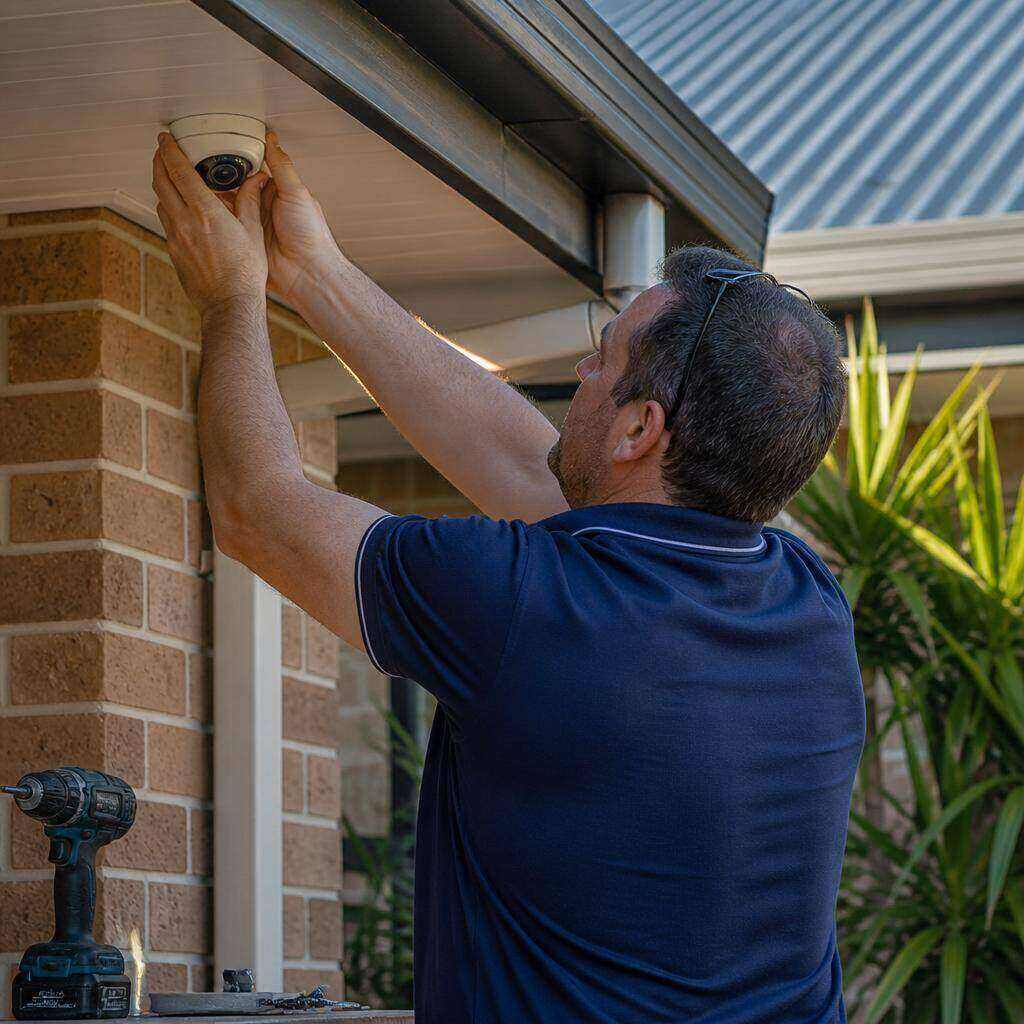
CCTV and alarm installation on a South East Queensland property

Security · Licensed SEQ installer

Security installations: CCTV cameras, alarms & access control — installed by a licensed SEQ technician.

Licensed security installs for homes, shops, warehouses and rural properties across Brisbane, the Gold Coast, Sunshine Coast, Ipswich, Logan and beyond. We design, cable, commission and certify every camera, alarm sensor and access reader.

Queensland licensed security installer

CCTV, alarms & access control

Hidden cabling & weatherproof mounts

App-integrated monitoring

Licensed installs

What we install and certify

Every item is installed and certified by a Queensland licensed security technician — no unlicensed work, no grey-area cabling.

  • CCTV systems — 4K, night vision, AI-powered motion detection, remote app viewing, NVR or cloud storage

  • Alarm systems — door/window sensors, pet-friendly motion detectors, smartphone alerts, back-to-base monitoring

  • Access control — fob, PIN, biometric or mobile entry, video intercoms, audit logs

  • Intercom systems — audio and video entry with gate release for homes and commercial sites

  • Licensed security cabling — concealed runs, weatherproofed joints and compliance certification

  • Integration & support — cameras, alarms and access control in one app, with ongoing maintenance

Coverage map

See exactly where your cameras are watching.

A sample residential layout showing detection cones, AI event zones and blind-spot overlap. On your site we produce a bespoke map before a cable is pulled.

StreetHouseGarageRear yardC1C2C3C4C5

Illustrative only. Detection ranges vary with camera model, lens, mounting height and lighting conditions.

  1. C1

    Front driveway

    AI: person + vehicle

  2. C2

    Front entry

    AI: person + package

  3. C3

    Side gate

    AI: person

  4. C4

    Rear yard

    AI: person + animal

  5. C5

    Garage

    AI: vehicle

  6. Overlapping cones eliminate blind spots at entry points — the same principle we use on every site survey.

NVR compatibility

How AI cameras fit into your recording setup.

AI processing happens on the camera itself, so the “smart” part travels with the feed. The recorder’s job is to store video and surface events — how much of that comes through depends on how the two are paired.

Dedicated brand-matched NVR

Cameras + recorder from the same manufacturer

Best for
Homes and small businesses — the default residential install.
How cameras connect
PoE cameras plug directly into the NVR's built-in switch, one Cat6 run per camera.
AI event handling
AI runs on the camera; the recorder ingests event metadata natively so you get person/vehicle/animal filters, smart search and app notifications with zero extra config.
Notes
Highest feature parity. Firmware updates handled in one place. Recommended when there is no existing recorder.

ONVIF multi-brand NVR

Mix cameras from different brands on one recorder

Best for
Commercial sites, staged upgrades, or replacing a failed recorder without re-cabling.
How cameras connect
Cameras join over the site LAN using ONVIF Profile S/T; PoE via an existing network switch.
AI event handling
Video and basic events (motion, line crossing) pass through ONVIF. Brand-specific AI classes may require the manufacturer's viewer for full smart search — we document what does and doesn't cross over on handover.
Notes
Best flexibility. Requires a well-planned VLAN and PoE budget. We supply the switch spec.

Cloud / hybrid recorder

Local recorder with encrypted cloud backup

Best for
Multi-site businesses, or customers who want off-site copy of critical events.
How cameras connect
Local NVR records continuously; event clips or a scheduled window sync to the customer's own cloud account.
AI event handling
AI events trigger the upload rule, keeping cloud storage costs low — only tagged clips leave the site, not 24/7 footage.
Notes
Cloud account is owned by the customer, not DJC. We commission it, hand over credentials and document retention on both tiers.

Existing / legacy recorder

Keep the recorder you already have

Best for
Adding a couple of new AI cameras to a system that is otherwise fine.
How cameras connect
New AI cameras connect to the existing NVR over ONVIF, or record to an SD card / secondary NVR if the old unit can't ingest them.
AI event handling
AI runs on the camera regardless. If the old recorder can't display AI events, notifications are delivered via the camera's own app while the recorder handles 24/7 video.
Notes
We audit the existing NVR (firmware, channel count, PoE budget, HDD health) before quoting so there are no surprises.

Not sure which setup you have? Send us the make and model of your existing recorder (or a photo of the label) and we’ll tell you exactly what will work with it before you buy a camera.

Our process

From site visit to sign-off.

A repeatable, engineered process — so the finish is the same whether it’s one room or a whole building.

  1. 01

    Consult & threat map

    We walk the site, identify entry points, blind spots and vulnerable areas, then recommend the right mix of cameras, sensors and access control.

  2. 02

    Design & quote

    You receive a fixed-price scope, camera/sensor schedule, cable plan and a clear explanation of how each device is monitored.

  3. 03

    Install & certify

    Cameras, alarms and access hardware are mounted, cabled and configured by a licensed technician, with weatherproofing and concealed runs where possible.

  4. 04

    Commission & handover

    We test every device, set up the app, train you on arming/disarming and leave a compliance certificate and as-built documentation.

FAQs

Common questions.

Still not sure? Call us — we’ll talk you through the options before you spend a dollar.

How do the AI cameras detect motion?
The cameras use built-in AI processors to analyse pixel changes in the video stream. Instead of triggering on every shadow, tree branch or insect, they look for meaningful shapes and movement patterns, so you get fewer false alerts and only get notified when something important happens.
What kind of events can the AI classify?
Depending on the camera model, the AI can distinguish between people, vehicles, animals and sometimes packages or faces. This lets you set smarter rules — for example, alert on a person at the front gate but ignore a car passing on the street — and search recordings by event type instead of scrolling through hours of footage.
How is privacy handled with AI cameras?
Recordings are stored on your local NVR or in an encrypted cloud account controlled by you. We position cameras to avoid capturing public footpaths or neighbouring properties where possible, configure password-protected access, and do not use facial-recognition data for anything beyond your own security system. All installs follow Queensland privacy and surveillance guidelines.
Do I need a licensed installer for CCTV and alarms in Queensland?
Yes. Queensland law requires security equipment including CCTV, alarms and access control to be installed by a licensed security installer. We provide a compliance certificate on completion.
Are your installers licensed in Queensland?
Yes. Our technicians hold current Queensland security installer licences and issue a compliance certificate on completion, which many insurers require.
What warranty do you offer on security systems?
We provide a 12-month workmanship warranty and pass on the full manufacturer warranty on cameras, recorders, alarms and access-control hardware. Ongoing support and maintenance plans are also available.
What monitoring options are available?
Choose local self-monitoring via smartphone app, push/email alerts, or back-to-base monitoring through a licensed monitoring centre. We can recommend the best option based on your insurance and response requirements.
How long does a typical security installation take?
A standard home CCTV or alarm install is usually completed in one day. Larger homes, commercial sites or multi-storey buildings may take 2–3 days depending on cable runs and device count.
Can I view my cameras on my phone?
Yes. We configure remote viewing on smartphones and tablets, with secure login, motion alerts and playback from the NVR or cloud storage.
Will the cables and cameras be visible?
Wherever possible we hide cables in walls, eaves and conduits, and position cameras discreetly. External runs are weatherproofed and neatly clipped.
Can you add security to an existing smart home or network?
Yes. We integrate CCTV, alarms and access control with your existing WiFi, network and smart-home apps so everything works from one place.

Request a free security survey across SEQ.

We’ll inspect your property, identify weak points and quote a fixed-price CCTV, alarm or access-control package.